Kick clip maker and clipper
This Kick clip maker works from the replay. Paste a Kick VOD link and we watch the whole stream, pick the moments worth posting and send them back as vertical clips with captions burned in. If you came looking for a Kick clipper that does the searching as well as the cutting, this is it.
Links are on paid plans, from $19 a month, and every paid plan starts with a 7-day free trial and no card. Uploading a file you already have is free: 60 minutes of source a month, up to 9 clips.
How to clip a Kick VOD
- Step 1
Copy the replay link
Open the VOD on Kick and copy the address. Both forms work:
kick.com/and<channel>/ videos/ <id> kick.com/.video/ <id> - Step 2
Or paste the channel
Paste
kick.com/instead and we list that channel's recent VODs so you can pick one.<channel> - Step 3
Sign in and start the trial
A free account is offered the 7-day trial at this point, because links are on paid plans. No card.
- Step 4
Choose how many clips
One, three, six or as many as the stream holds. Pick a caption theme and a layout, or keep the defaults.
- Step 5
Wait, then download
We pull the VOD before we cut anything, so length matters: a 91 minute Kick VOD took about 20 minutes to download when we timed one. Finished clips land in your library.
What comes back
Vertical 9:16 clips for TikTok, Reels, X and Shorts, plus 16:9 landscape versions when you ask for that format. There are two vertical layouts:
- Split puts the webcam on top and the stream below. Use it when there is a corner cam.
- Full gives one subject the whole frame, which suits IRL and just chatting.
- Captions are burned into the file, in your choice of 34 themes, and each clip gets a title.
- Most clips run under a minute. A moment that needs room can go to 90 seconds.
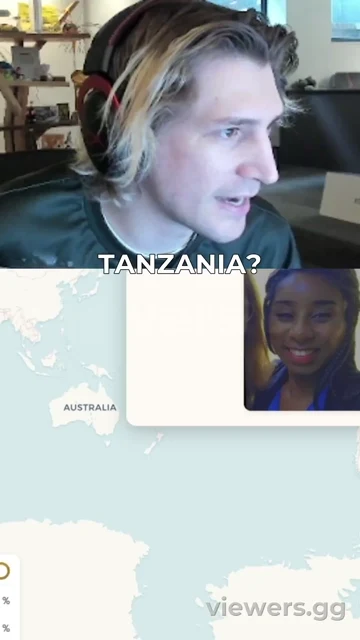
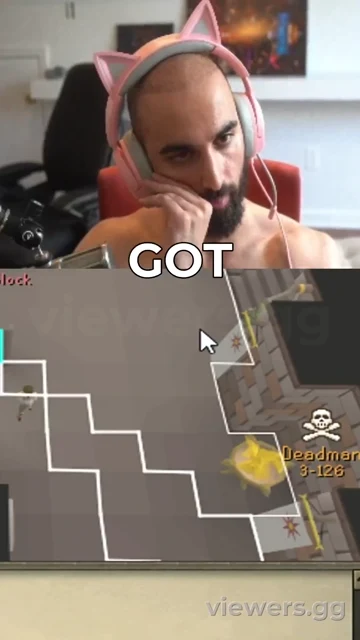
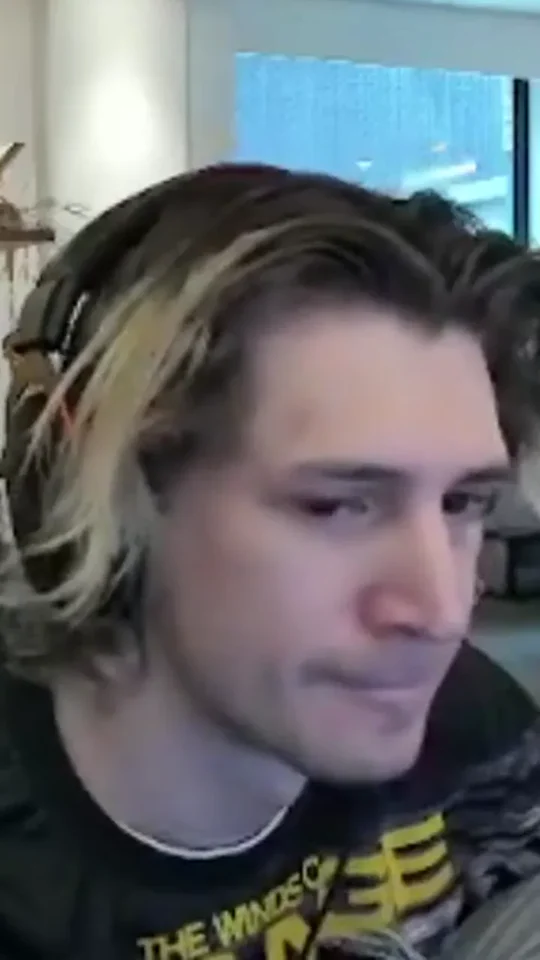
Frames from clips we rendered. The small viewers.gg mark is what free clips carry.
Limits to know before you paste
- The VOD has to still exist. Kick keeps replays for 7 days on non-verified channels and up to 30 days on verified ones, and it caps how many a channel can store (Kick's page on VODs).
- It has to be a public VOD. A link to a clip someone already made is not accepted, and we do not promise clips from a stream that is still live.
- Minutes count the whole VOD. A three hour stream uses 180 minutes of your plan, however few clips come out of it.
- Length is what counts. That 91 minute VOD used 91 minutes and came to about 4 GB. Any paid plan can pull a link up to 16GB, and if a longer archive will not fit, we tell you.
- IRL is our weakest case. If the person keeps walking out of frame you can get fewer clips than you asked for, sometimes none. A run that delivers nothing gives its minutes back.
Who this suits
Kick streamers who want clips from every stream without watching it back or paying an editor. Clippers who post for a channel, if the streamer is happy with it: our terms need you to hold the rights to what you submit. If you also stream elsewhere, the Twitch clip maker runs on the same account.
It is the wrong tool if you only want the one moment you already saw, where Kick's button is quicker, or if you need clips while you are still on air.
What it costs
Kick links start on Creator at $19 a month. The 7-day trial needs no card, and if you have not added one when it ends, the subscription simply cancels. All plans in full.
Free
- 60 minutes of source a month
- Up to 9 clips
- File uploads up to 500MB
- 720p, small viewers.gg mark
- Clips kept 30 days
- Uploads only, no stream links
Creator
- 300 minutes of source a month
- Up to 60 clips
- File uploads up to 1GB
- 1080p, no watermark
- Clips kept forever
- Uploads and stream links
Pro
- 900 minutes of source a month
- Up to 200 clips
- File uploads up to 8GB
- 1080p, no watermark
- Clips kept forever
- Uploads and stream links
Studio
- 2400 minutes of source a month
- Up to 500 clips
- File uploads up to 10GB
- 1080p, no watermark
- Clips kept forever
- Uploads and stream links
Kick clipping questions
Is there a free Kick clip maker?
Uploading is free: 60 minutes of source a month, up to 9 clips, at 720p with a small viewers.gg mark, kept for 30 days. So a Kick VOD you have saved as a file costs nothing to clip. Pasting a Kick link needs a paid plan, which starts with a 7-day free trial and no card.
Which Kick links work?
A VOD link in either form Kick uses: kick.com/ or kick.com/. A channel link gets you a list of recent VODs to pick from. Links to existing clips do not work.
Can I clip someone else's Kick stream?
We accept any public VOD link, but you need the rights to what you submit, so ask the streamer first. Whether their stream gets clipped is their call.
What happens when a Kick VOD expires?
The link stops working, and Kick says it cannot recover a deleted VOD. To keep one longer, save it first: Kick's download page points to third party tools. You can then upload the file here.
Do you post the clips to TikTok for me?
No. You download the files and post them yourself. Nothing on any plan posts to your accounts.
Also on viewers.gg
Updated 02-11-2026. What we say about Kick's own tools comes from its help pages on that date.