Twitch clip maker
This Twitch clip maker starts from a past broadcast, not from a moment you already found. Paste a Twitch VOD link and our AI clip maker for Twitch watches the whole thing, picks what is worth posting and returns it as vertical clips with captions burned in.
A Twitch link needs a paid plan, from $19 a month, and the first 7 days are free with no card. A file you upload is free: 60 minutes of source a month, up to 9 clips.
What Twitch already does, and where we differ
Twitch's own tools have got good, and you should know what they do before paying anyone. The Clip Creator makes clips of up to 60 seconds from a stream or past broadcast, suggests a portrait crop that keeps your cam and gameplay in frame, can add captions if the channel has them switched on, and posts straight to TikTok, Instagram, Snapchat and Shorts (Twitch's guide to clips). Twitch is also testing Auto Clips, which picks moments for you, though its help page still describes an invite-only test.
So if you were there for the moment, or Auto Clips reaches your channel and you like what it picks, you may not need us. We are for the other case: a long VOD that nobody has clipped, and you want a batch of finished clips from one run. We go through the whole broadcast, clips are not held to 60 seconds, captions come in 34 themes, and you keep plain files you can post anywhere. One account also covers the Kick clip maker, the Rumble clip maker and file uploads, which helps if you stream in more than one place.
What the clips look like
Most Twitch streams have a corner webcam, and that is where framing earns its keep. Split puts the cam on top and the game below, so the face and the play both read on a phone. Full gives one subject the whole frame, which is the better fit for Just Chatting. Ask for landscape as well and you get a 16:9 version of each clip.
Captions are burned into the file, every clip gets a title, and clips keep your stream's frame rate, so a 60fps VOD stays 60fps. On the Free plan clips come back at 720p with a small mark. Paid clips are 1080p with no mark.
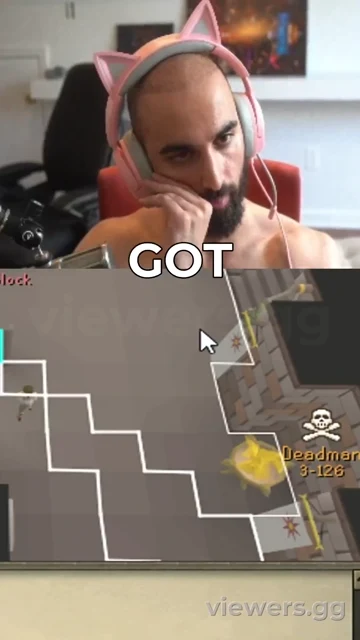
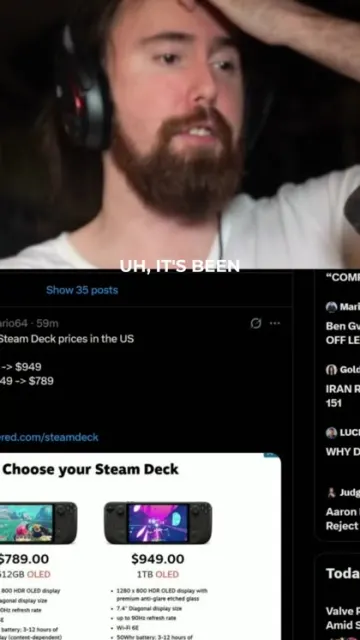
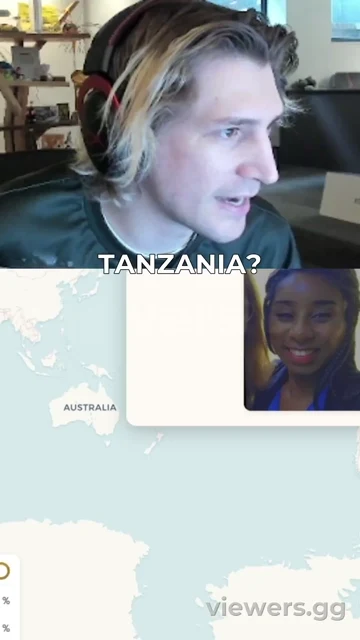
Frames from clips we rendered. Two show the small viewers.gg mark free clips carry.
Turn a Twitch VOD into clips
- Step 1
Find the VOD
Open the past broadcast or highlight, from your Video Producer or a channel's Videos tab, and copy its address:
twitch.tv/.videos/ <id> - Step 2
Paste it into viewers.gg
Use the box on our home page. A channel link such as
twitch.tv/works too: we show its recent VODs and you choose.<channel> - Step 3
Start the trial if you need to
Free accounts are asked to start the 7-day trial, with no card.
- Step 4
Say how many you want
One clip, three variants, six, or Max. Set Split or Full and a caption theme, or leave the defaults alone.
- Step 5
Download from your library
Clips appear in your library as they finish. Download them and post them yourself: we do not post to your accounts.
Limits, including Twitch's
- VODs expire. Twitch deletes past broadcasts after 7 days on most channels, 14 for Affiliates and 60 for Partners and Prime or Turbo users, while Highlights are stored indefinitely (Twitch's guide to VODs). If time is short, make a Highlight.
- The VOD has to be public. If a channel limits its VODs to subscribers we cannot pull them, so upload the file instead.
- Clip links are refused. A link like
twitch.tv/is not a VOD. Paste the broadcast it came from.<channel>/ clip/ <slug> - Muted stays muted. Twitch mutes copyrighted audio in VODs (its audio guide) and we get the VOD as Twitch serves it, so those stretches have nothing to caption.
- Long streams use a lot of minutes. We count the full VOD: a five hour stream is 300 minutes, against 300 a month on Creator and 900 on Pro.
- Minutes are the limit that matters. A 2.5 hour stream at 1080p60 is about 6 to 7 GB, well inside the 16GB a paid plan can pull by link. Past that the pull stops and you hear why.
Who this suits
Partners and Affiliates who stream for hours and want clips without scrubbing the VOD. Editors working for a channel, with the owner's say-so, since our terms ask you to hold the rights to what you submit. It is overkill for one moment you already saw.
Price and trial
Creator is $19 a month and includes Twitch links. Pro and Studio add minutes and a bigger file upload cap. Each starts with 7 free days and no card, and if you never add one, the plan cancels itself when the trial ends. Compare every plan.
Free
- 60 minutes of source a month
- Up to 9 clips
- File uploads up to 500MB
- 720p, small viewers.gg mark
- Clips kept 30 days
- Uploads only, no stream links
Creator
- 300 minutes of source a month
- Up to 60 clips
- File uploads up to 1GB
- 1080p, no watermark
- Clips kept forever
- Uploads and stream links
Pro
- 900 minutes of source a month
- Up to 200 clips
- File uploads up to 8GB
- 1080p, no watermark
- Clips kept forever
- Uploads and stream links
Studio
- 2400 minutes of source a month
- Up to 500 clips
- File uploads up to 10GB
- 1080p, no watermark
- Clips kept forever
- Uploads and stream links
Twitch clipping questions
Is there a free AI clip maker for Twitch?
For uploads, yes. Download your VOD from Twitch and drop in the file: 60 minutes of source a month, up to 9 clips, at 720p with a small viewers.gg mark, kept for 30 days. Pasting a Twitch link needs a paid plan, which starts with a 7-day free trial and no card.
Why not just use Twitch's clip button?
Use it when you know the moment. It stops at 60 seconds and you find the moment yourself. We are for when you want a whole VOD searched and several clips cut from it.
Do Twitch highlights and uploads work?
Yes. They have the same link shape as a past broadcast: twitch.tv/.
Can I clip a subscriber-only VOD?
Not by link, because we see a VOD as a logged-out viewer does. If it is your channel, download the VOD from your Video Producer and upload the file.
Can it clip me while I am live?
No. We work from the finished VOD, so paste the link once the broadcast has ended. For the live moment, Twitch's own "Twitch, Clip That" voice command is the right tool.
Also on viewers.gg
Updated 02-11-2026. What we say about Twitch's own tools comes from its help pages on that date.